

Your home, in one place.
If your landlord or letting agency uses Ownkeep, you can see your rent, report a repair with photos, message them and find your documents.
You do not pay or make a password. It works in your phone's browser, light or dark to match your phone.
The demo needs no sign-up. It is made-up data, deleted after 24 hours.
Signing in
- Your landlord or agency invites youThey add you to your home in Ownkeep and send you an email with a button to the tenant app.
- Enter your email addressUse the address they have for you. We email you a six-digit code.
- Type the codeYour home opens. The code works once and lasts ten minutes, so there is no password to remember. Next time, ask for a new code.
No email from your landlord or agency yet? Ask them to invite you from their Ownkeep account, and check your spam folder.
The tenant app
Five things, one place.
Home, Rent, Report, Messages and Documents, with Settings for your sign-in details, email choices and text size.
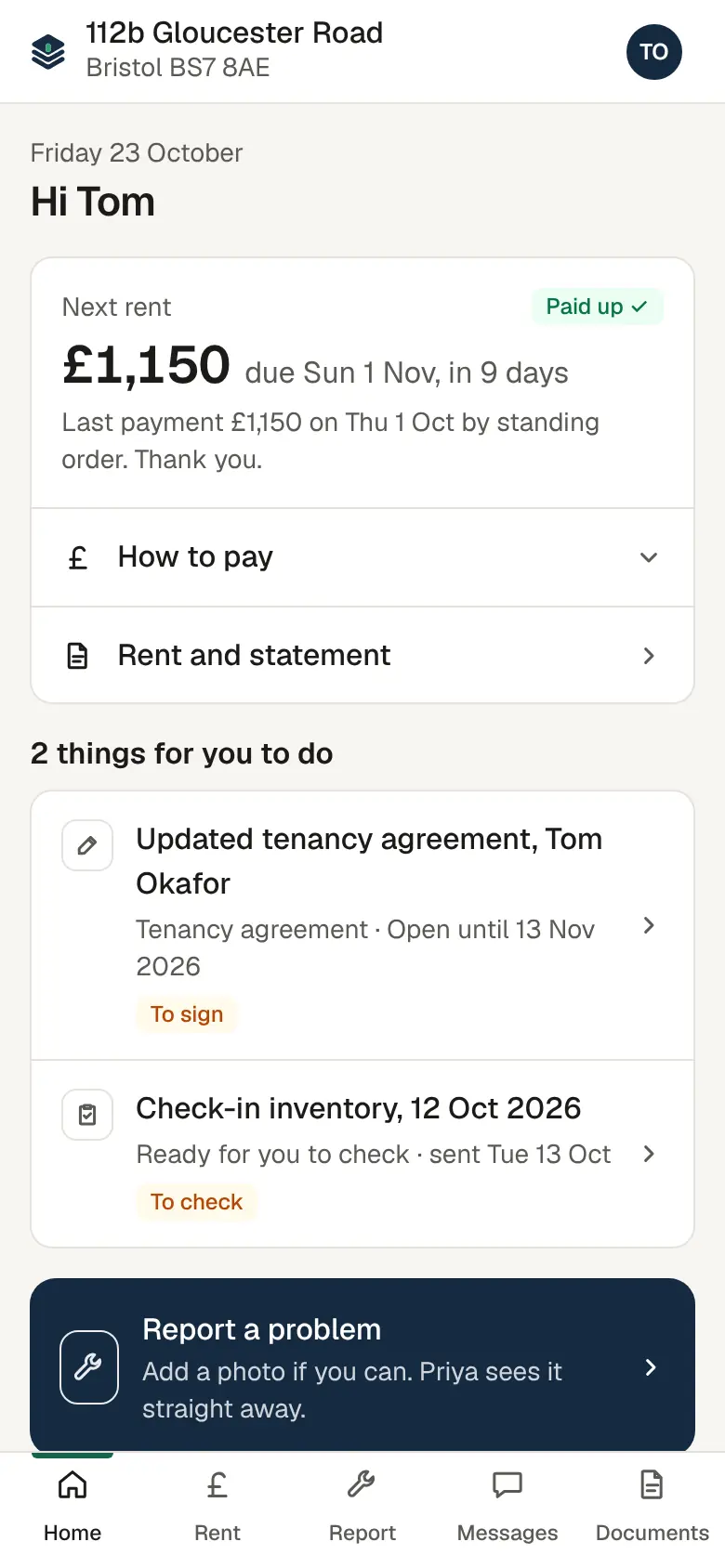
Home
Your next rent, how to pay, your open repairs and where each stands, your latest message, who to speak to, and the emergency numbers.
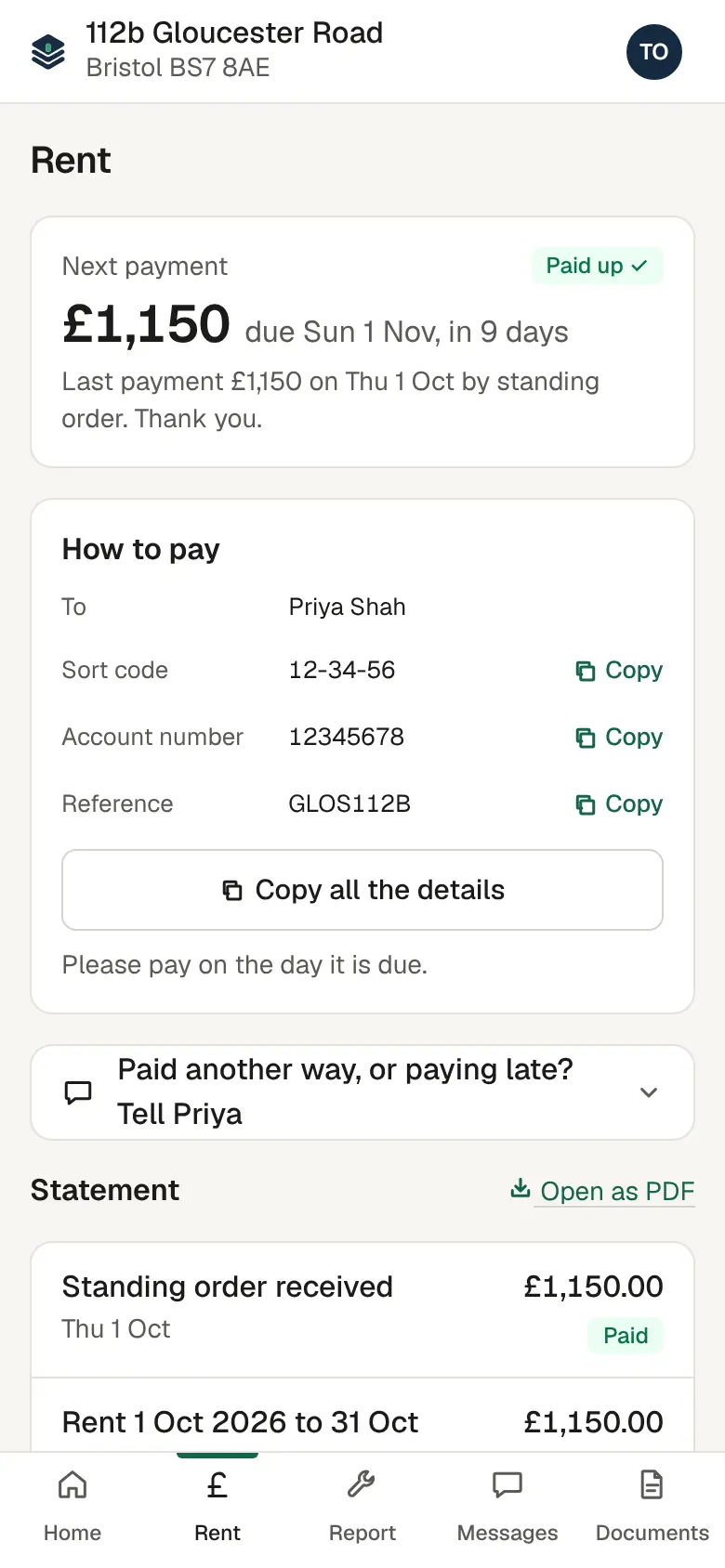
Rent
A statement from your landlord's own figures, with what is due and what has been paid, as a PDF too. Ownkeep does not take payments: you pay as you do now. You can tell your landlord you have paid. It shows as paid when they mark it received.
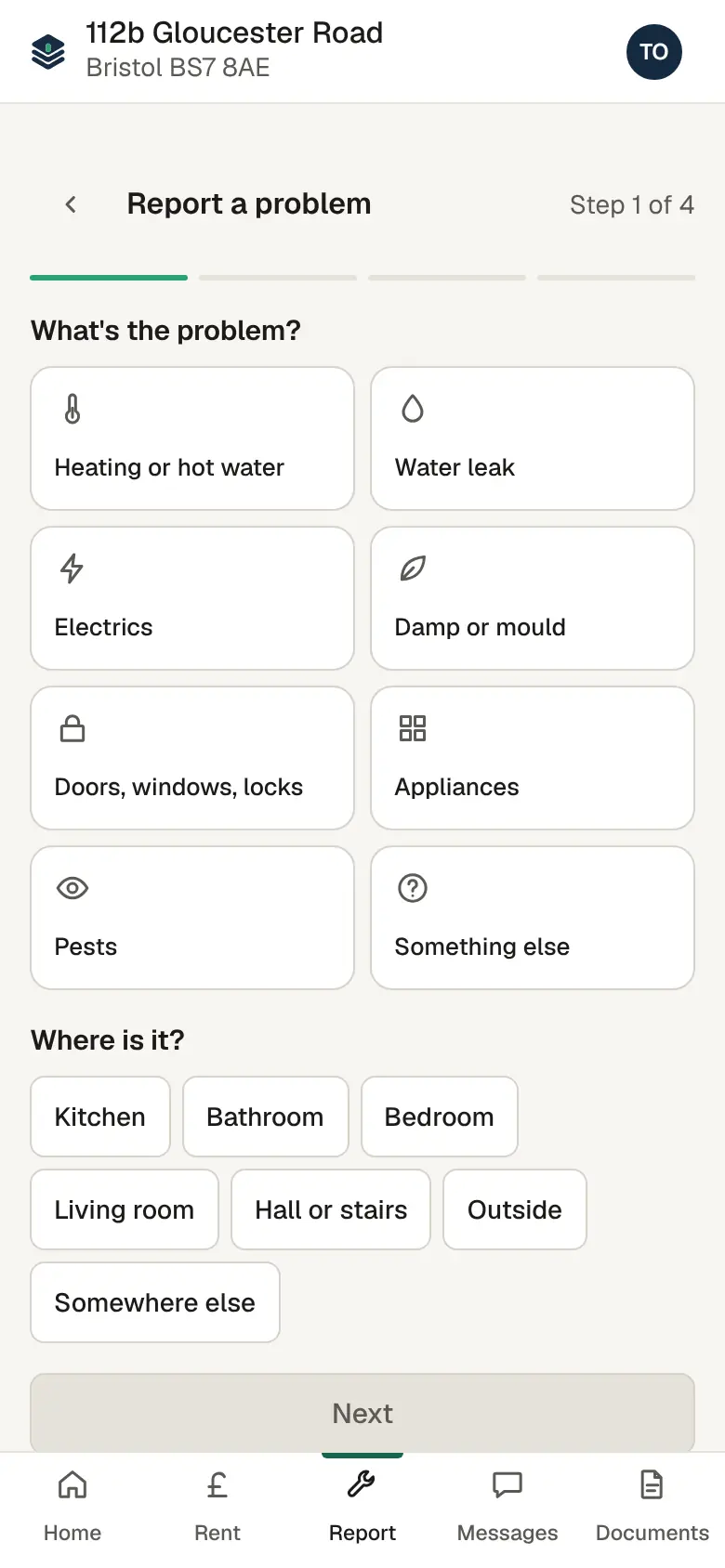
Report a problem
Say what and where, add up to four photos, when someone can come in and how urgent it is. Your landlord or agency is emailed.
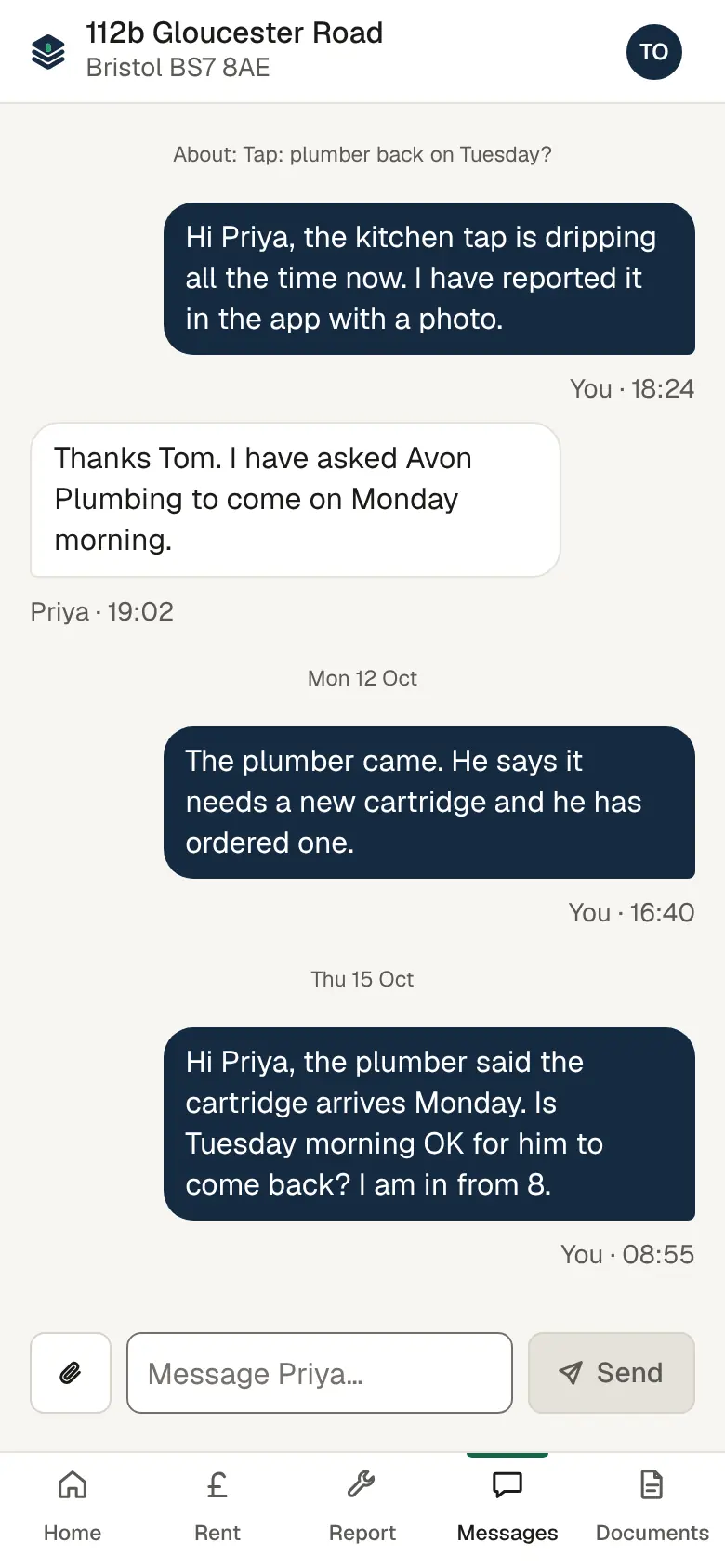
Messages
Your conversations with your landlord or agent, in one place. Reply with photos or a PDF.
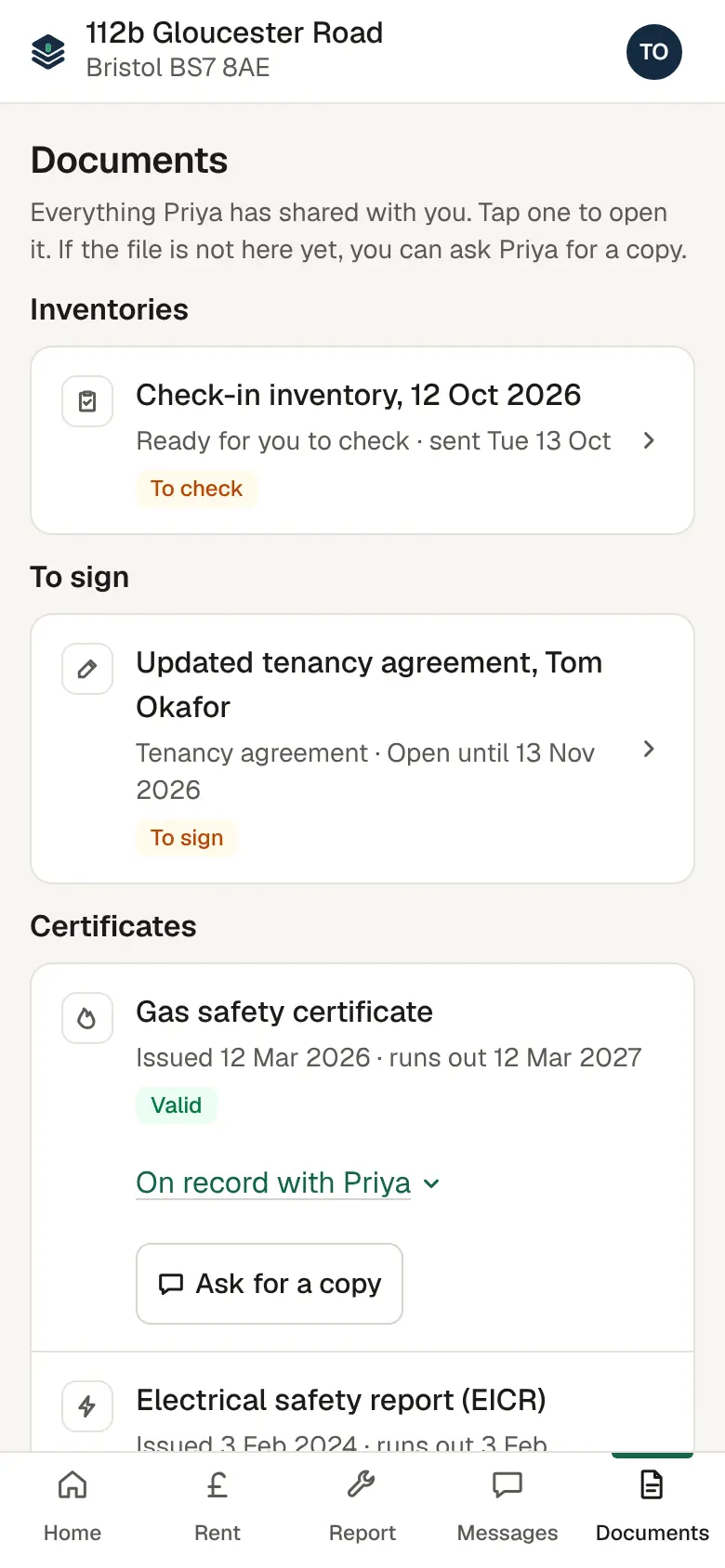
Documents
Files shared with you, such as certificates, your deposit protection and letters you have been sent.


You can sign in if your email address is on a current tenancy, or one that ended in the last 90 days, as the main or a joint tenant.
When your landlord sends them
Sign an agreement and check an inventory.
Both are in Documents, and both need your own sign-in.
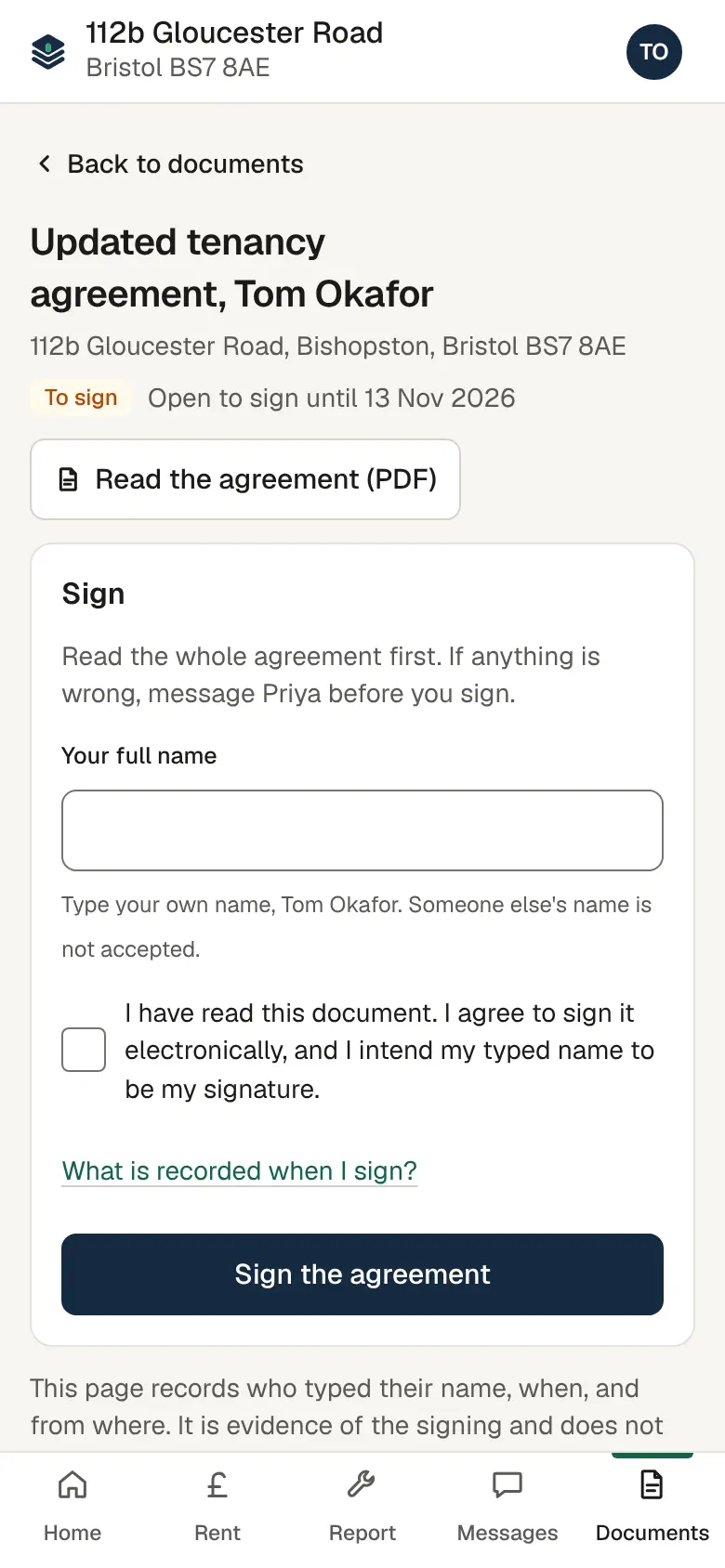
Sign your tenancy agreement
If your landlord or agency sends the agreement to be signed, it shows under To sign on Home and in Documents. Read the PDF, type your full name and tick the box to sign. Each joint tenant signs, and once your landlord or agent has signed too, the signed copy, with a certificate page that records who signed and when, is in Documents. Signing records that you agreed. It does not make a term fair or valid.
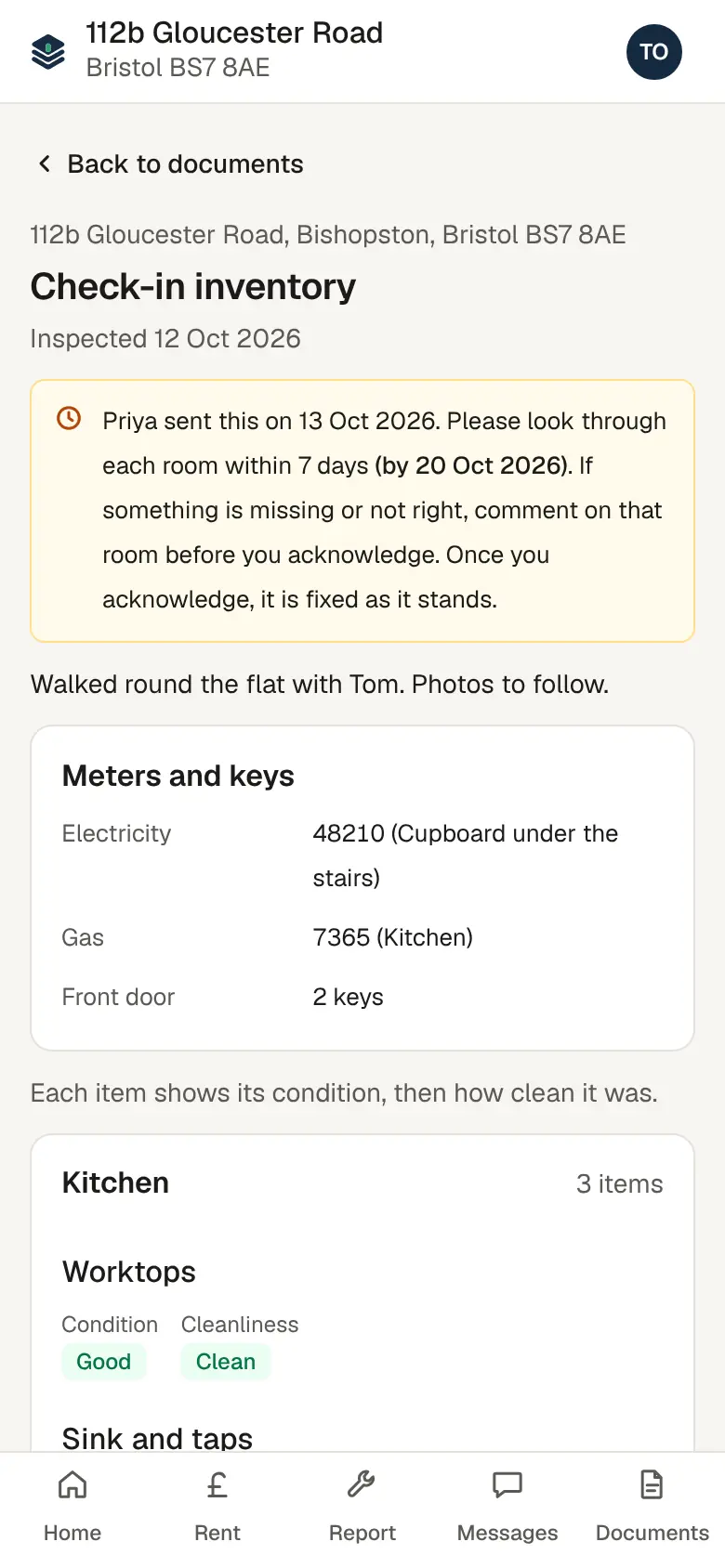
Look through your inventory
When your landlord or agency sends the inventory, you see each room, item, meter and key with its photos. Comment on a room if something is missing or not right, then acknowledge it. After that it is fixed as it stands. They are told you have acknowledged it, and each comment shows beside the room.


Repairs
How to report a repair.
A minute or two on your phone.
- Sign in to your homeUse tenant sign-in, on your phone or a computer.
- Open ReportIt is in the menu at the bottom of the screen on a phone, and on Home too.
- Say what needs fixingWhat it is, where it is, and a few words. Add up to four photos from your phone so your landlord can see what is wrong.
- Say when someone can come in, and how urgent it isChoose from danger right now, urgent, or it can wait a few days. These are your words for how it looks to you.
- Send itYour landlord or agency is emailed when you send it, and the repair appears under Your repairs on Home. You can message them about it there.
Emergency
Call first, then report it.
- Smell gas? Leave, then call the National Gas Emergency Service. It is free and open all day and night.0800 111 999
- A fire, or someone is hurt or in danger.999
- A leak you cannot stop? Turn the water off at the stopcock if you can, then report it.